Free Minecraft-style pixel text maker
Minecraft Font Generator
Create Minecraft-style pixel text with an independent open-source font, 16 game color presets, outlines, shadows, transparent backgrounds, and crisp PNG export.
Up to 3 lines11/80 characters
Live pixel text preview
Previewing BLOCK CRAFT in center alignment with a solid background.
Rendered locally with Monocraft, an independent Minecraft-inspired font licensed under SIL OFL 1.1. No text is uploaded and no Mojang game assets are included.
Why use this Minecraft Font Generator?
Use a real pixel-style font
Render with Monocraft instead of approximating the look with a generic system font.
Match Minecraft colors
Choose from the familiar 16-color palette or enter any custom fill, outline, and background color.
Create multi-line artwork
Arrange up to three lines for server banners, thumbnail titles, and community graphics.
Export transparent PNGs
Place clean text overlays on screenshots, streams, banners, and video thumbnails.
Choose the output resolution
Download at 900×360, 1800×720, or 3600×1440 without stretching the preview.
Keep text in your browser
Rendering and PNG creation happen locally without uploading the text you enter.
How it works
Enter one to three lines
Type a server name, gamertag, title, or short message using letters, numbers, and punctuation.
Choose a pixel style
Start with a preset, then adjust Minecraft colors, outline, shadow, alignment, and background.
Download a crisp PNG
Choose 1×, 2×, or 4× output and export the current artwork with no watermark.
How to make readable Minecraft-style pixel text
Minecraft-style lettering is easiest to recognize when each glyph keeps a clear pixel silhouette. This generator uses Monocraft, an independent open-source typeface inspired by the Minecraft interface, and scales complete lines instead of horizontally squeezing long words.
Use a bright fill with a dark outline when the text will sit over a detailed screenshot. The outline separates the glyph edges from grass, stone, water, and inventory textures, while the optional offset shadow adds depth without changing the letter shapes.
Transparent PNG output is best for thumbnails and stream overlays because the text can be composited over artwork later. Use a solid background when the generated image should work as a complete banner. Keep each line concise: two to five words normally preserve the strongest pixel rhythm.
Minecraft color codes and hex values
Use the 16 familiar Minecraft text colors as quick presets in the generator. The section-sign codes are useful references for compatible chat, signs, server MOTDs, and plugins, although support can differ by edition and server software.
| Color | Code | Hex value |
|---|---|---|
| Black | §0 | #000000 |
| Dark Blue | §1 | #0000AA |
| Dark Green | §2 | #00AA00 |
| Dark Aqua | §3 | #00AAAA |
| Dark Red | §4 | #AA0000 |
| Dark Purple | §5 | #AA00AA |
| Gold | §6 | #FFAA00 |
| Gray | §7 | #AAAAAA |
| Dark Gray | §8 | #555555 |
| Blue | §9 | #5555FF |
| Green | §a | #55FF55 |
| Aqua | §b | #55FFFF |
| Red | §c | #FF5555 |
| Light Purple | §d | #FF55FF |
| Yellow | §e | #FFFF55 |
| White | §f | #FFFFFF |
These values are provided as design presets and a formatting reference. Always test the final code in the exact Minecraft edition, plugin, or server software where it will be used.
Transparent PNG sizes and recommended uses
Choose an export size based on where the Minecraft-style text image will be placed. Every PNG is generated locally without a watermark.
| PNG size | Best for | Recommended treatment |
|---|---|---|
| 900 × 360 (1×) | Web labels and compact graphics | Short text with a restrained outline |
| 1800 × 720 (2×) | YouTube thumbnails and server banners | Transparent background, dark outline, visible shadow |
| 3600 × 1440 (4×) | Large artwork and high-density displays | Use the largest practical type and composite after export |
Transparent PNGs work best as overlays. Choose a solid background when the exported file needs to work as a complete banner by itself.
How this Minecraft-style font renderer works
Independent font
The renderer uses Monocraft, a fan-made font inspired by the Minecraft interface.
Clear licensing
Monocraft is redistributed under the SIL Open Font License 1.1.
Local processing
The text, colors, layout, and PNG are rendered in your browser. The generator does not upload the text you enter.
Automatic fitting
Up to three lines are measured and scaled uniformly to fit the 900×360 canvas without horizontally stretching the glyphs.
Minecraft is a trademark of Mojang Synergies AB and Microsoft. This independent tool is not affiliated with or endorsed by Mojang or Microsoft and does not include original Minecraft font files, textures, logos, or other game assets.
Practical examples
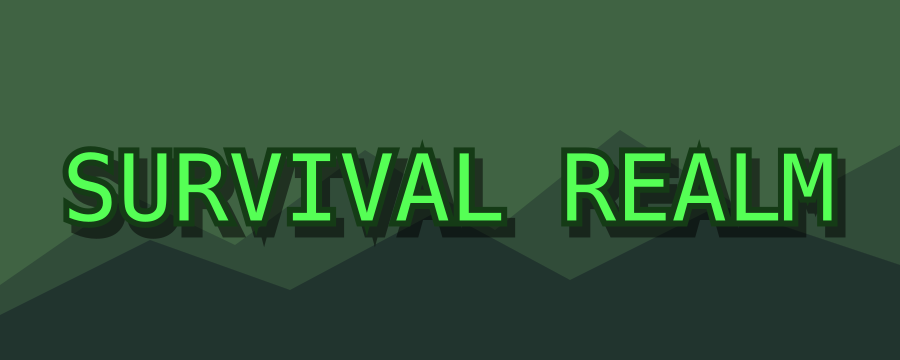
Server banner
Green text, a deep outline, and a solid background keep the realm name readable.
SURVIVAL REALM

Video thumbnail
A short gold title and strong shadow remain legible at small thumbnail sizes.
SECRET BASE
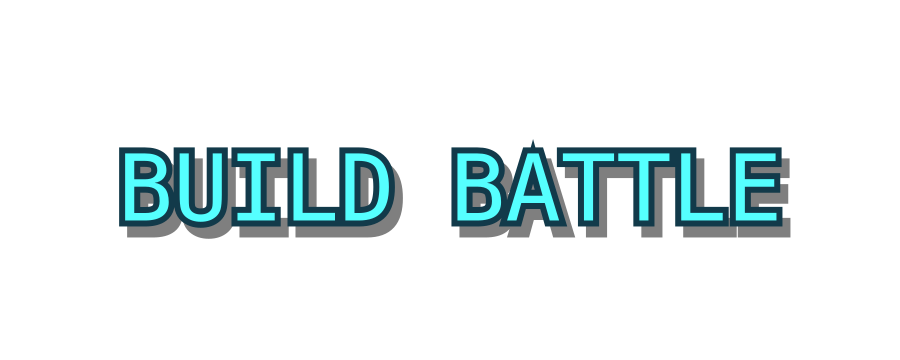
Community event
Aqua pixel text on a transparent background is ready to place over event artwork.
BUILD BATTLE
Important limitations
Monocraft is an independent fan-made typeface licensed under SIL Open Font License 1.1. This tool is not affiliated with Mojang or Microsoft and does not include original game assets.
The 16 preset colors mirror familiar Minecraft chat color values, but final rendering inside Java Edition, Bedrock Edition, plugins, and server software can differ.
Text is limited to 80 characters and three lines. Longer lines are scaled down automatically to fit the 900×360 canvas.
PNG output is raster artwork. Choose 4× for large graphics; use a vector editor and an appropriately licensed font when editable paths are required.
Related text tools
Small Text Generator
Create tiny Unicode text for bios, usernames, social posts, and chat.
Open toolDiscord Text Formatting
Format, preview, and copy Discord-ready Markdown messages.
Open toolFeatured homepage toolLinkedIn Text Formatter
Format LinkedIn posts, profiles, comments, and newsletters with live preview and copy-ready text.
Open LinkedIn Text FormatterFAQ
Does this create a Minecraft font file?
No. It creates a downloadable PNG image with a block-inspired text treatment.
Can I make the background transparent?
Yes. Enable Transparent background before downloading the PNG.
Can I use this image for YouTube thumbnails?
Yes. Choose a 2× or 4× transparent PNG and place it over your thumbnail artwork, while following applicable platform and trademark rules.
What are the Minecraft color codes?
The classic palette uses 16 values from §0 through §f. The generator includes each color as a preset and lists the code, name, and hex value below the tool.
Can I create more than one line?
Yes. The editor supports up to three lines and automatically scales long lines to fit the canvas without stretching the glyphs.
Does this use the official Minecraft font?
No. It uses Monocraft, an independent fan-made font inspired by the Minecraft interface and licensed under SIL OFL 1.1. It does not include Mojang font files or game assets.
Does the generator upload my text?
No. The font rendering and PNG export run locally in your browser.
Is this affiliated with Minecraft or Mojang?
No. It is an independent fan-made text image tool and is not affiliated with Mojang or Microsoft.